Tutoriel complet
HardReset.info: How to bypass Google Account protection in SONY Xperia L1 G3311 with Android 7.x? Necessary Tools and Drivers
Étape 1
XperiaCompanion with usb drivers
Étape 2
Mini ADB and Fastboot with drivers
Étape 3
ADB FRP Unlocker by hardreset.info
Étape 1
Install XperiaCompanion with usb drivers.
Étape 2
Install Mini ADB & Fastboot with Drivers.
Étape 3
Unpack ADB FRP unlocker by hardreset.info.
Étape 1
Turn on your SONY Xperia L1 G3311 and select your language.
Étape 2
Connect to an available wifi network.

Étape 3
Back to a welcome screen.
Étape 4
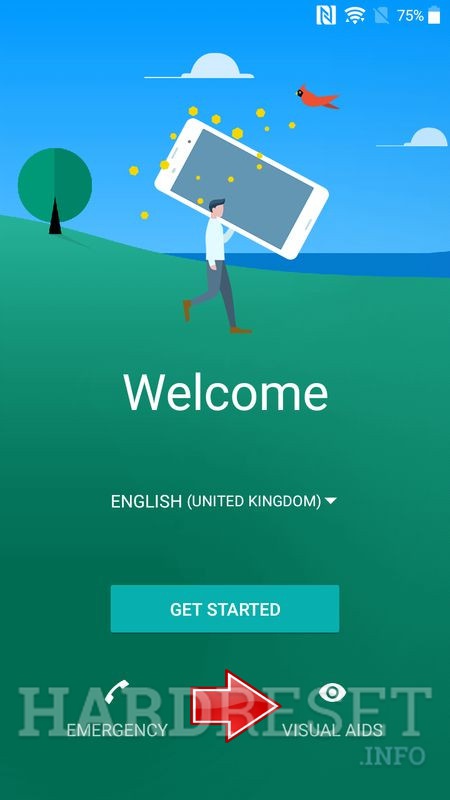
Select Visual aids button.
Étape 5
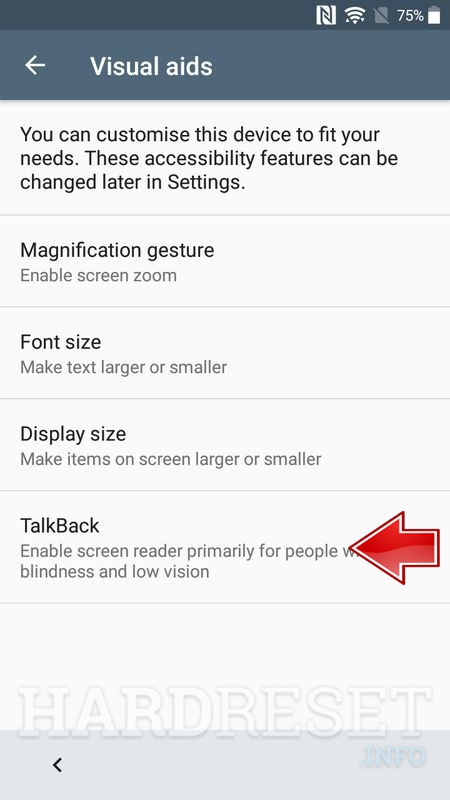
Select TalkBack.
Étape 6
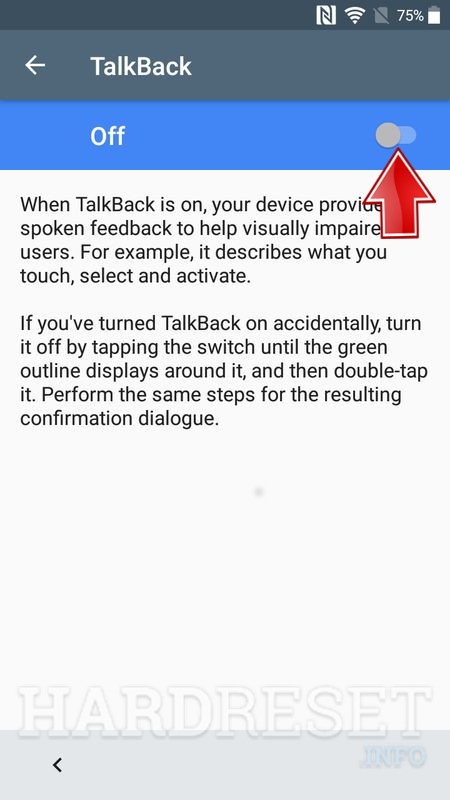
Turn on TalkBack option.
Étape 7
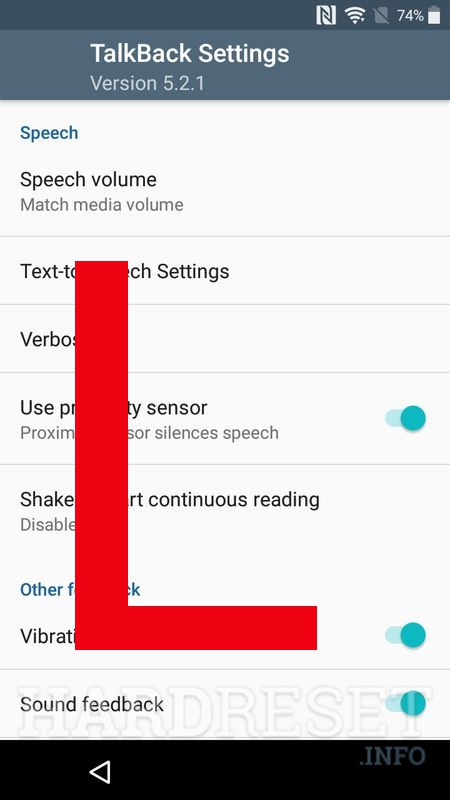
Write on screen L letter to enable help menu.
Étape 8
Hold volume up and volume down button until you hear talkback suspended then release it.